Reference

pro33 App — Lobby Lengkap di Genggaman, Android iOS

The pro33 app puts your full account — slots, live casino tables, and football sportsbook — on one screen, built for the way Indonesia plays on mobile.

AndroidiOSAPK 30MBPush AlertsFingerprint Login
pro33 pro33 App — Lobby Lengkap di Genggaman, Android iOS
APP SECURITY SIGNALS

How We Keep the App and Your Account Safe

Downloading an APK outside the Play Store is a legitimate concern — so here is what we do to make the pro33 app verifiable. The file is code-signed by us so your Android can confirm it has not been altered between our server and your device. We do not distribute through third-party APK mirror sites; the only source is the download link on this page or the official app stores where available. Your account data moves over an encrypted connection so session tokens and wallet details are not readable in transit.

Code-Signed APK Every Android release is signed with our developer certificate before it is published. Android verifies this signature at install time and blocks the install if the file has been changed. You can check the certificate details in your Android package manager.
No Third-Party Mirrors We do not authorise any APK mirror, modded version, or repackaged file. If you find the pro33 app on an external site, it is not our release. Download only from the link on pro33 to ensure you have the signed, unmodified version.
Encrypted Account Sessions Login tokens and wallet data are transmitted over an encrypted connection. Your DANA, OVO, or GoPay transaction details are never stored in plain text in the app cache — they are pulled live from your account each session.
Biometric Authentication Fingerprint and face unlock use your device's own secure enclave — the biometric data never leaves your phone. We receive a pass or fail signal from the device; your fingerprint itself is not stored on our servers.
Account Recovery Path If you lose access to your device, account recovery goes through your registered phone number and a verification step tied to the wallet you used for your last deposit. Contact live chat with your number and we walk you through the reset without needing the old device.
Automatic Session Timeout The app closes your active session after a period of inactivity and requires biometric or password confirmation to resume. This protects your account if you set the phone down in a shared space without locking the screen manually.
APP SCREEN TOUR

A Walk Through the App Experience

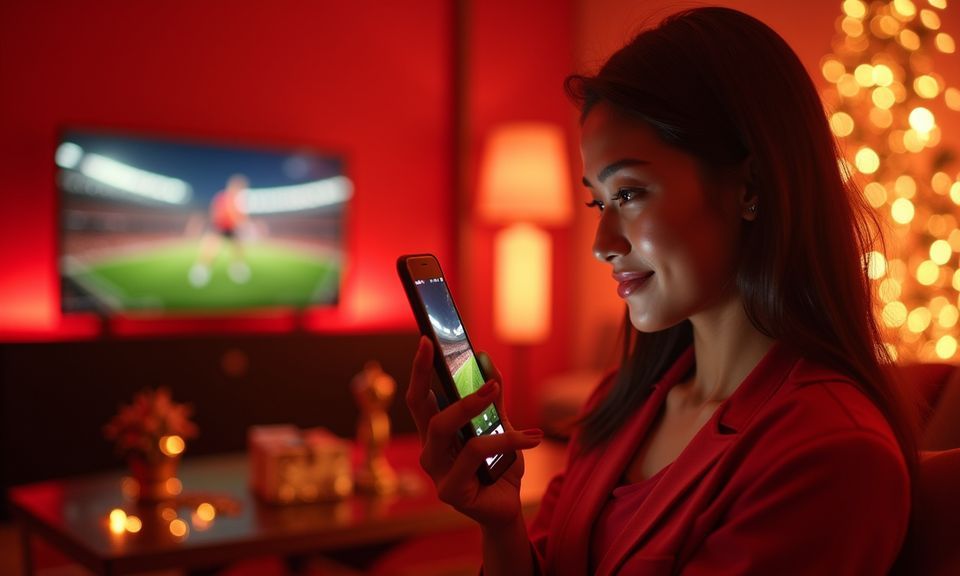
The app is laid out around the four things Indonesia mobile players actually do: open the lobby, pick a game, fund the account, and check the balance. The bottom navigation bar keeps those four actions one tap away from anywhere inside the app. Slot rooms built by Pragmatic Play and PG Soft sit in a dedicated section with filter tabs for crash games, fishing rooms, and classic reels — so you are not scrolling through a wall of titles to find Aviator Mobile Play or Fortune Fishing Game.
Live lobby preview
Quick bet slip
Account wallet access
Slot room filters
Live table thumbnails
Sportsbook in-play
pro33 mobile gaming
Google Play App Store
DEVICE REQUIREMENTS

Which Devices Run the App Smoothly

The app is sized to run on the mid-range Android handsets most common across Indonesia — not just flagship hardware. If your phone handles video calls and short-form video, it handles the live casino stream. Check the minimum specs below before downloading.

01

Android Version

Android 8.0 (Oreo) or higher. Most handsets sold in Indonesia from 2019 onward meet this requirement. Android 10 and above gets the best fingerprint and dark-mode performance.

02

iOS Version

iOS 13 or higher. iPhone 6s and newer devices run iOS 13, so the app covers a wide range of handsets already in use. Face ID login requires iPhone X or later.

03

RAM

2GB RAM minimum; 3GB or more recommended for live casino streams. The app manages memory efficiently, but live dealer video benefits from the extra headroom on busier tables like Speed Blackjack Live.

04

Storage Space

The APK installs in under 50MB. Game assets load on demand rather than being stored locally, so ongoing storage use stays low even if you play across multiple categories.

05

Supported Regions

Available where local law and eligible regions permit. Availability in your region is confirmed at the point of download. Players in Batam and Bandar Lampung reach the app lobby at the same speed as any other supported Indonesia location.

APP HELP CHANNELS

Get Help with the App When You Need It

If the app stalls on install, throws a login error, or a deposit does not reflect in your wallet, our support team handles app-specific issues through the channels below. For install problems on Android, have your device model and Android version ready — that speeds up diagnosis. For account or wallet issues, support will ask for your registered phone number and the wallet you used (DANA, OVO, or GoPay) to trace the transaction.

Live Chat Support Tap the chat icon inside the app or on the site to reach a support agent. App-specific questions — install errors, biometric setup, notification settings — are handled here. Available around the clock for account and app queries.
Email Support For detailed issues like a failed APK install or a deposit that cleared your DANA wallet but did not reach your pro33 account, email support with a screenshot. Responses come back with a reference number you can follow up on.
In-App Install Help The app's Help section includes a step-by-step install walkthrough for Android's unknown-sources setting and an FAQ covering the most common iOS download errors. Find it under Menu → Help → App Setup without needing to contact support first.
APP FEATURE SET

Six Things the App Does That the Browser Cannot

The app is built around the habits of someone who opens the lobby between tasks and comes back later on a different screen. These six features make that return flow faster and more reliable than a mobile browser tab.

Fingerprint Login Skip the password on every return visit. The app reads your device biometrics — fingerprint or face unlock — and takes you straight to the lobby. No OTP wait, no keyboard. Works on Android 8 and above and on iOS Face ID devices.
Push Notifications Get an alert the moment your DANA or OVO deposit clears, or when a live table you follow opens a new round. Notifications are opt-in per category, so you control exactly which updates reach your lock screen.
Dark Mode Display The app switches to dark mode automatically at sunset or you can lock it manually. Late-night sessions at lower screen brightness are easier on your eyes without losing any lobby detail or card contrast on live tables.
Quick Deposit Shortcut One tap from the lobby opens the deposit screen with your last-used wallet — DANA, OVO, or GoPay — pre-selected. Enter the amount, confirm with your PIN in your wallet app, and the credit lands in your pro33 account wallet.
Offline Lobby Preview On a weak connection, the app caches the lobby layout so you can browse game tiles and read table limits without a live data feed. Tap to launch a game and it connects when signal returns — no blank screen, no crash.
Session Continuity Start a slot session on your phone, close the app, and reopen it on another device — your progress and balance carry over because everything is tied to your account, not to a local session cookie the way a browser tab works.
pro33 Install the pro33 App in Three Steps

Install the pro33 App in Three Steps

Android installation takes the APK route because Indonesia's Play Store region settings vary. The file is around 30MB so it downloads quickly even on a warung WiFi connection. iOS installation goes through the standard App Store flow where available in your region. Either way, your existing pro33 account works immediately — there is nothing to re-register. If your Android shows a warning

about installing from unknown sources, that is a standard system prompt for any APK file not downloaded from the Play Store; you enable it once in your settings and it does not affect other apps. After the first install, updates come through the app itself as a one-tap prompt so you never need to repeat the APK step.

  • Step 1 — Download the File — On Android, tap the APK download link on this page. On iOS, follow the App Store link. The file is around 30MB and downloads in under a minute on a standard mobile connection.
  • Step 2 — Allow the Install — Android only: when prompted, go to Settings → Security → Install Unknown Apps and enable permission for your browser or file manager. This is a one-time step. iOS users skip directly to open.
  • Step 3 — Open and Sign In — Tap the pro33 icon, enter your account credentials or use your saved fingerprint, and you land in the lobby. Your balance, deposit history, and wallet settings carry over from the browser version automatically.
  • Step 4 — Enable Notifications — When the app asks for notification permission, allow it so deposit confirmations and live table alerts reach your lock screen. You can fine-tune which categories notify you under Account → Notification Settings.
pro33 What the pro33 App Puts in Your Hands

What the pro33 App Puts in Your Hands

Open the app and you land directly in the lobby — no extra tap, no loading splash. From there, slot rooms from Pragmatic Play and PG Soft load in a couple of seconds, including titles like Aviator Mobile Play and Fortune Fishing Game. The live casino section streams Speed Blackjack Live and Dragon Tiger tables without dropping to a sub-app. If you

follow Liga 1 or European football, the sportsbook sits one tab away so you can place a betslip while the match is running. Push notifications let you know when a round is closing or when your account wallet has been credited after a DANA or OVO deposit. Quick deposit puts the payment screen a single tap from the lobby, and fingerprint login

means you skip the password entirely on return visits. Every screen is sized for one-thumb navigation so nothing feels pinched on a mid-range Android or a compact iPhone.

Questions About the pro33 App

These are the questions we hear most from people setting up the app for the first time or coming back after a device change. If yours is not here, live chat inside the app connects you to a support agent.

The official APK download link is on this page at pro33. We do not distribute through third-party APK sites. The file is around 30MB. After downloading, you will need to allow installation from unknown sources once in your Android security settings, then tap the file to install.

Yes, the iOS version is available through the App Store where your region is supported. Access depends on local law and eligible regions. If the App Store link is not active in your country, the mobile browser version of pro33 covers all the same lobby features on Safari.

No. Your existing pro33 account works immediately in the app. Log in with the same credentials you use on the site. Your balance, transaction history, and wallet settings — including saved DANA, OVO, or GoPay details — carry over without any extra steps.

After logging in the first time, go to Account → Security → Biometric Login and tap Enable. The app will ask your device to verify your fingerprint or face once, then activate the feature. From the next session onward, the biometric step replaces the password entirely.

This is a standard Android prompt for any APK file installed outside the Play Store. It is not specific to pro33. Go to Settings → Security → Install Unknown Apps, select the app you are using to open the file (usually your browser or file manager), and allow it. You only do this once and it does not affect other apps on your device.

The app runs on Android 8.0 and above with at least 2GB of RAM. Most mid-range handsets sold in Indonesia from 2019 onward meet those specs. Slot rooms and crash games like Aviator Mobile Play load without issue on these devices. Live casino streams benefit from 3GB RAM or more.

Tap the Deposit shortcut in the app — it opens the payment screen with your last-used wallet pre-selected. Enter the amount, and the app generates a transfer reference. Open your DANA, OVO, or GoPay app, send the amount to the account number shown, confirm with your PIN, and the credit lands in your pro33 account wallet.

Your account state — balance, active game session markers, transaction history — is stored server-side, not in the app. Closing the app on your phone and opening the site on desktop shows the same account. Live casino sessions and betslips that are already open may need to be re-entered depending on game state at the time you switch.

Contact support via live chat on the site from another device. Provide your registered phone number and confirm the wallet you used for your last deposit — DANA, OVO, or GoPay. Support will verify your identity and send a reset link. You do not need the original device to regain access.

Go to Account → Notification Settings inside the app. Each category — deposit alerts, live table updates, sportsbook match reminders — has its own toggle. Turn off the ones you do not need without disabling all notifications. Changes take effect immediately without a restart.